Can one tool replace your email marketing agency? The 3-step system
Watch the 8-minute version
TL;DR
Most ecom owners already know what they should be sending. The problem is that actually doing it takes forever, and an agency charges thousands a month and still needs months to build it. This post (and the video above) walks through the 3 things a tool has to get right to replace that agency. It has to understand your brand, build the right emails for you, and get them into the inbox. Get those right and you're looking at about 30 minutes of work a month for the whole thing (flows, popup, campaigns and sending).
The question
Is it actually possible to replace every email marketing agency and freelancer with one piece of software?
I think so.
And I say that as someone who ran one of those agencies for almost half a decade. (Yes, I see the irony.)
We worked with hundreds of ecommerce brands in that time. And the problem was almost never that the owner didn't know what to send.
01The problem
The real problem isn't knowledge
You've probably sat through hours of email marketing tutorials. Maybe you even tried to set the whole thing up yourself at some point. So you know what a welcome flow is. You know you need an abandoned cart sequence.
The problem is that doing it takes way too long. And every hour you spend inside your email tool is an hour you're not spending on growing the brand.
Just look at what a proper setup involves. Your pre and post purchase flows. Flow triggers, conditional splits, exclusion filters, time delays. Campaigns going out a few times every week. Watching your deliverability so you don't land in spam. And growing the list, so there's actually someone to send all of it to.
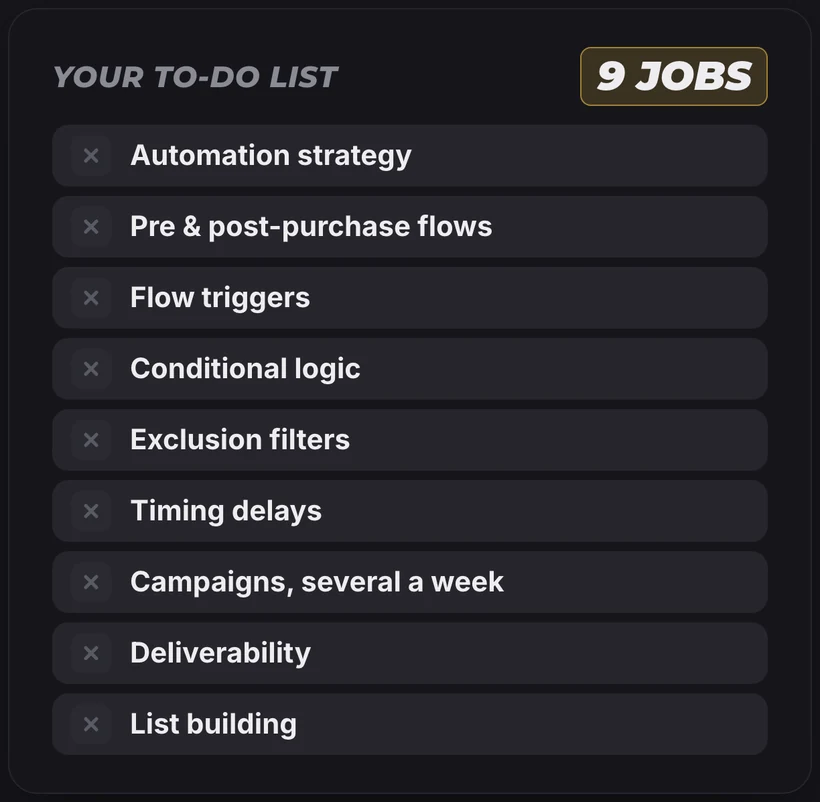
Any one of these will bump your results on its own. But do them in the wrong order, or mess up one single setting, and the whole system turns into a mess. Two flows hitting the same person at once because an exclusion was missing. Campaigns going to people who stopped opening months ago. That kind of thing.

And then your results flop.
02The usual answer
So why not just hire an agency?
Honestly? If you're reading that list and thinking "this is a full time job", I wouldn't blame you for looking at agency prices and thinking they're fair.
But an agency takes thousands of dollars out of your profit every single month. And even they need months to get the system built. (We did too, back when we were the agency.)
So you're stuck between three things. You want great results. You want them fast. And you don't want to break the bank doing it. I call this the magic triangle, and agencies usually get you two corners of it at best.
In my experience it all comes down to one choice. Picking a tool that's built for an ecom owner or operator, and not one that was designed for an email expert sitting at an agency.
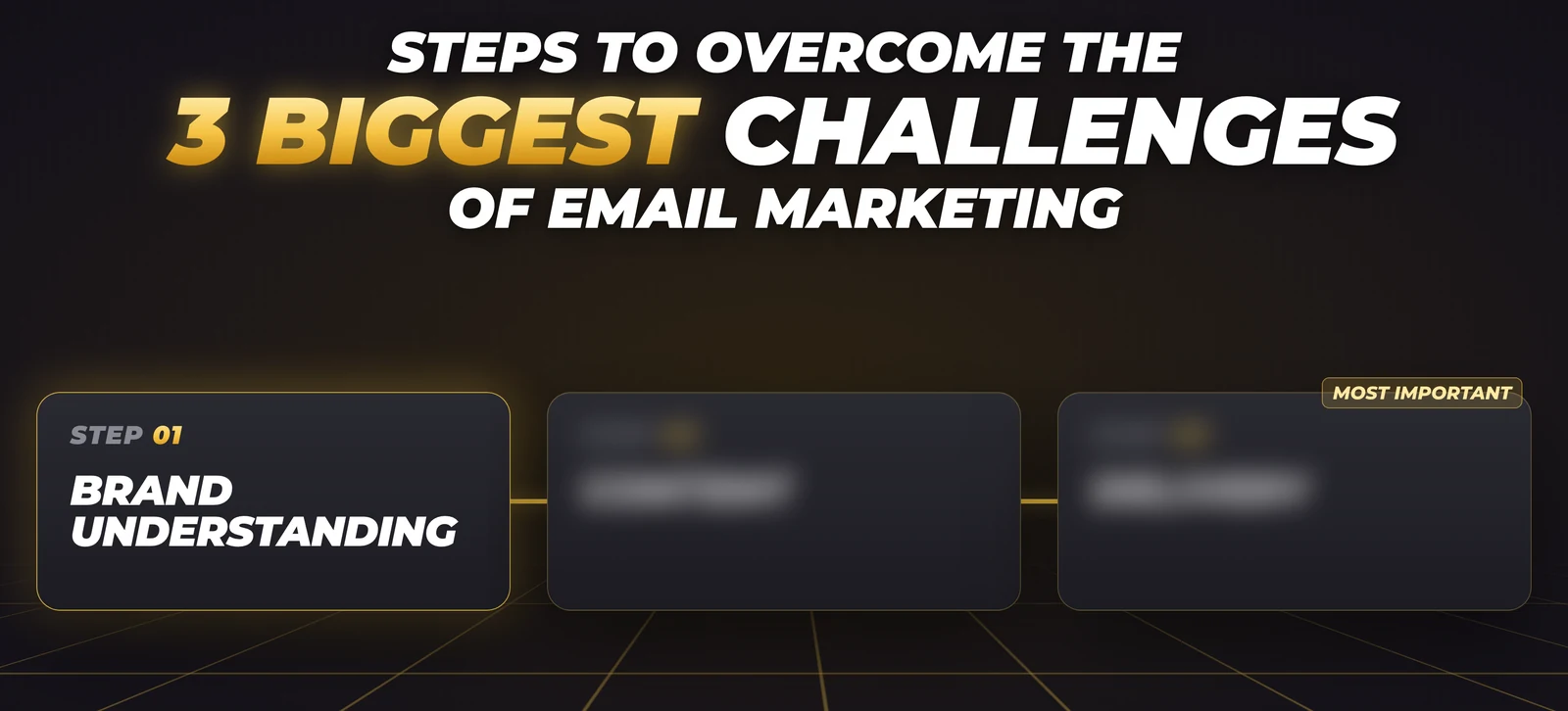
For that tool to really replace your agency though, it has to get 3 things right.
- 01Brand understandingIt knows who you are.
- 02ContentIt knows what to send.
- 03DeliveryIt gets you into the inbox.
03Brand understanding
Step 1: It has to actually know your brand
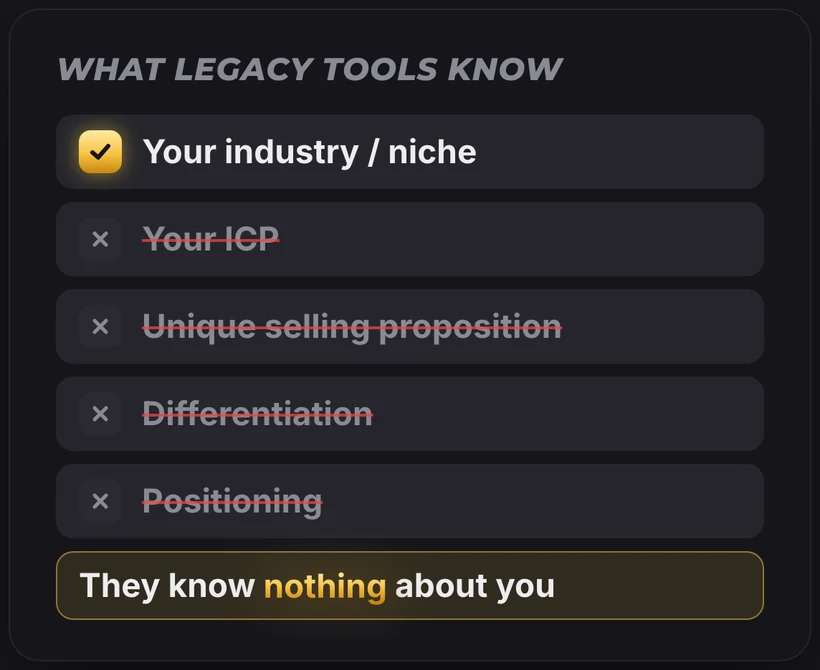
This is the biggest problem with legacy email tools. They have no idea who you are.
Sure, they might know your industry. Maybe they'll show you some benchmark data for your niche. But that's where it ends. They don't know your ideal customer. They don't know your unique selling point, your positioning, or why someone should buy from you and not the store next door.
And they definitely don't know what your brand looks like. The thing that makes your brand yours and not just another knockoff.
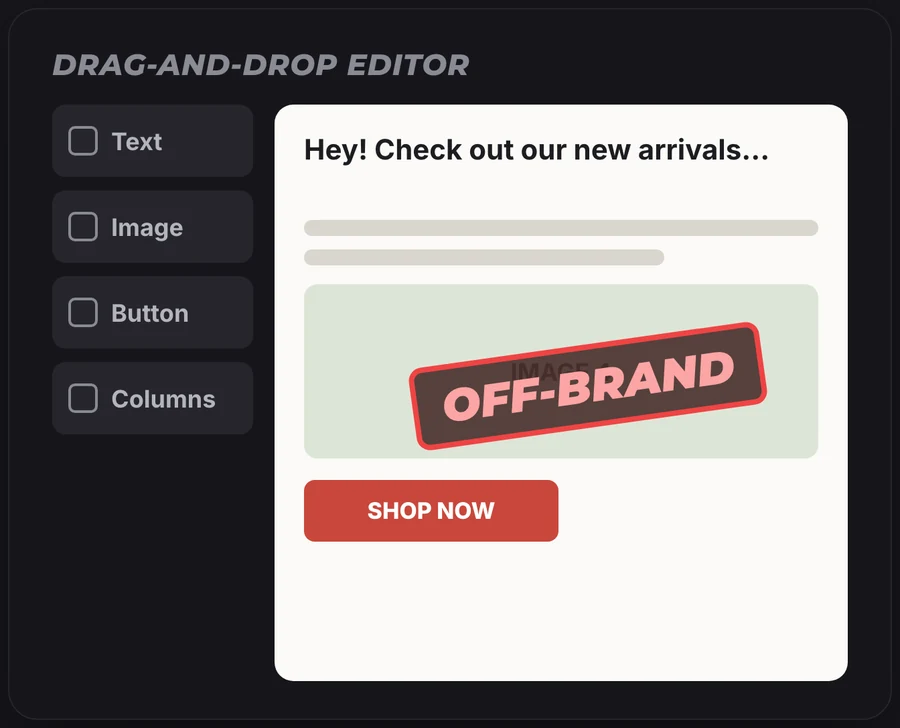
Which is why you end up writing every email from scratch. Then you fight a drag and drop editor for an hour, moving product images around and fixing colors and fonts, and it still doesn't look right. (If you've ever tried to make a template feel "on brand" in Canva at 11pm, you know exactly what I mean.)
The fix is pretty simple, and you might already be ahead of me. You give the software your store URL. It goes through your whole site and builds a brand DNA out of it. What makes you different, what problems your products solve, how your brand looks and how your customers see you.

Once the tool has that, every email it makes starts out on-brand. Every time.
04Content
Step 2: It has to know what to send (and what goes in it)
Looking right is only half the job though.
If you still have to decide which emails go in each flow, which campaigns to send and what goes inside every one of them, you're back to hours of brainstorming and writing. Without knowing if any of it will work.
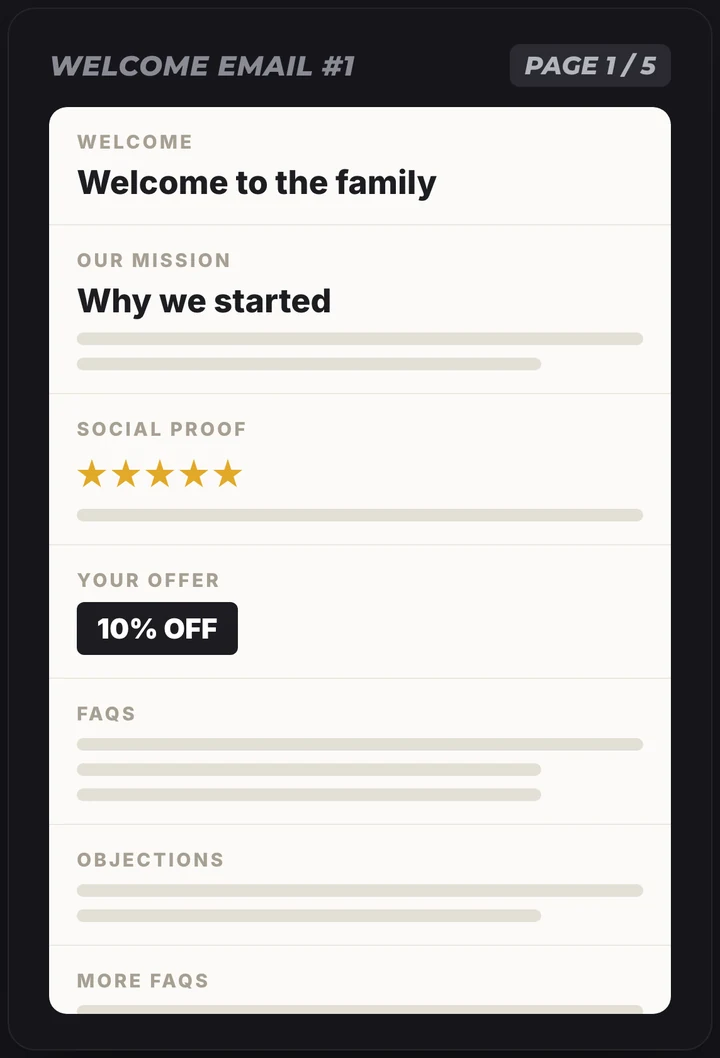
Take a single welcome email. You could talk about your brand mission. Add some social proof. Give an offer, answer FAQs, handle objections. All of it sounds reasonable! But put all of it in one email and you've got something five pages long that overwhelms the subscriber. And it flops.
This is where a tool built for ecom actually earns its money. MailCommerce AI pulls from a database of the best performing angles and email structures and fits them to your brand DNA. It picks the flow sequence and the structure of each email, so your emails don't just dump information on people. They walk the subscriber through the buying journey one touch point at a time.

So the software builds the strategy, writes the copy and designs the emails, for your flows and your campaigns. You review them, accept, and launch. No writing copy from a blank page, no touching a color slider ever again.

(If you want to see what goes into a good flow, I broke down the welcome email sequence and the abandoned cart sequence in their own posts. Getting ready for Black Friday? Here's the full Q4 email marketing strategy we'd run.)
There's a fun side effect too. You're launching from a level where most brands finish. People will assume you spent ages on your emails. You'll know it took a fraction of the time.
05Delivery
Step 3: It has to get your emails into the inbox
This is the step people skip. And it's probably the most important one.
Think of it like football. Standing out in the inbox is scoring the touchdown. But you can only score if you actually walk onto the field. In email, the field is the inbox. If your emails go to spam, the best email you've ever made earns you exactly zero dollars.
This last step has two parts:
- 1Getting more inboxes to send to. That's your popup and your list growth.
- 2Landing in the primary tab of every one of those inboxes.
Most legacy tools don't help much with either. So you sit in front of a popup builder setting it all up from scratch, hoping the template they gave you converts at least a couple percent of visitors. (The average popup gets about 2 out of every 100 shoppers to sign up. Ouch.) And because there's no guided technical setup, even the small list that popup gets you ends up in spam a lot of the time with Gmail, Yahoo and Outlook.
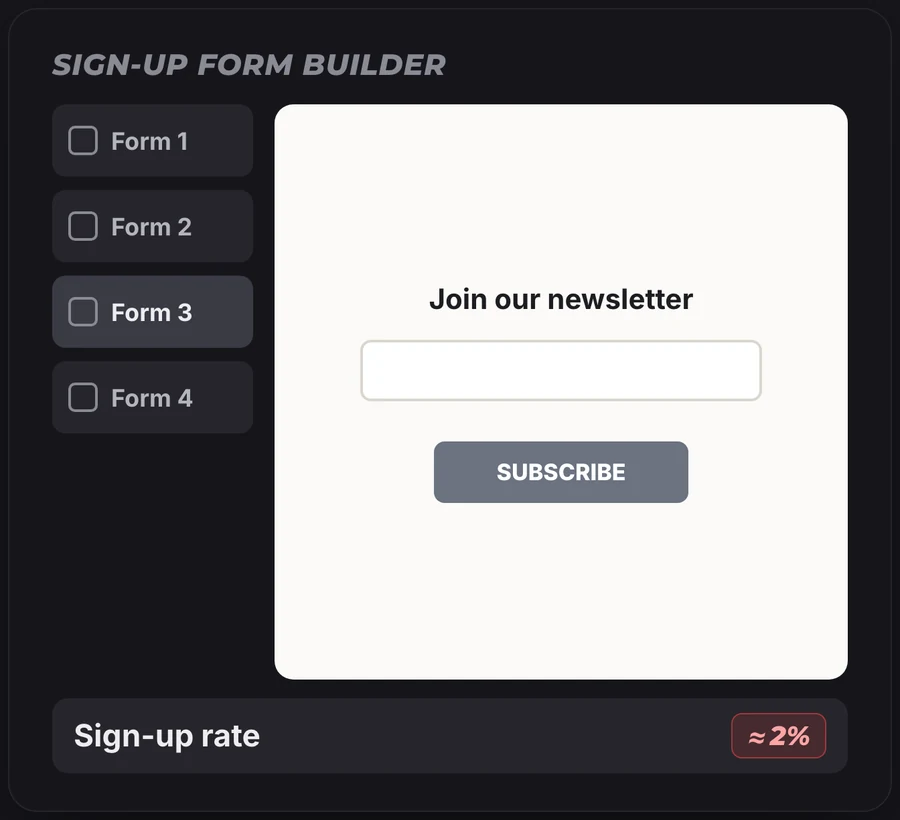
An end-to-end tool handles this the same way it handles your emails. It takes your store data and builds a popup that's made for your brand. You set the offer and launch it. Then it walks you through the technical steps, like setting up your sending domain, so you land in the primary tab. Even users who call themselves "technically illiterate" get through it no problem.

So now everything the tool built for you lands right at the top of the inbox, when the subscriber is ready to open it.
06Proof
What this looks like in real numbers
When all three steps are in place, email stops being a side channel and turns into a real chunk of revenue.
13% → 46%
One brand we worked with went from 13% of its total revenue coming from email to 46%. More than triple.
$2,000
And on the tool side, one store owner who had never done any email marketing made $2,000 in the first 5 days after turning on their flows.
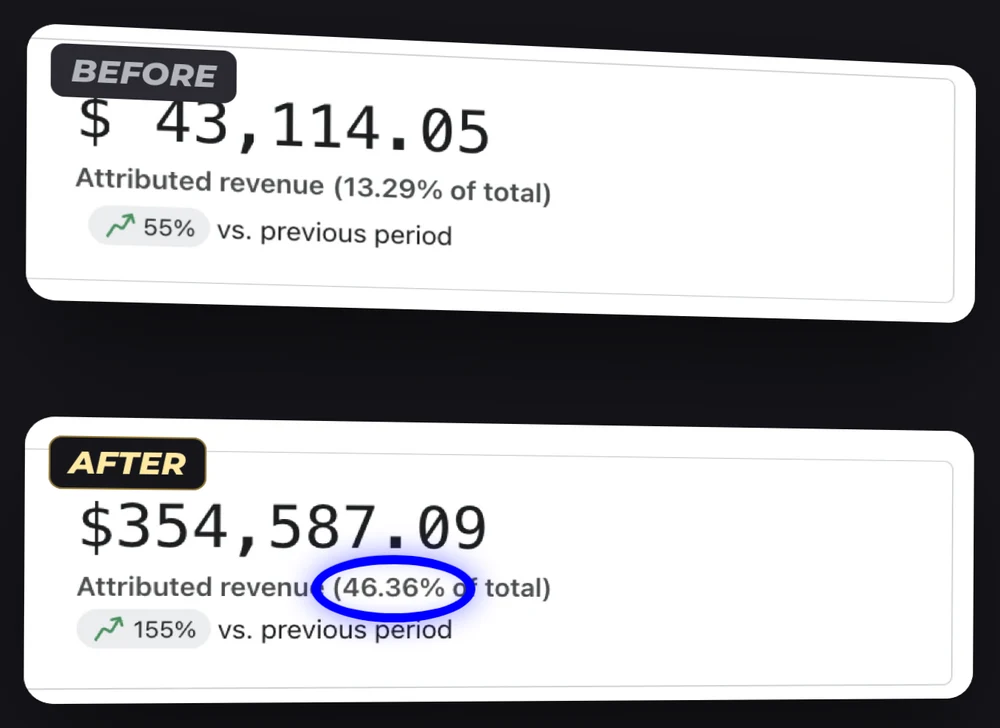
None of that came from secret tactics. It came from getting the boring execution right, fast, and not paying an agency thousands of dollars a month for it.
The verdict
So can one tool really replace your agency?
For most ecom stores, yeah. I think it can.
Not because agencies are useless. There are smart people in there. But the stuff they charge you thousands for every month is the exact execution work that software now does in minutes. The brand research, the flows, the campaigns, the copy, the design, the popup, the setup.
What's left for you is reviewing it and hitting launch. Which is a lot easier to fit into your week than a full time job.
Try it on your store
Start with the popup. It's free.
If you want to test this without committing to anything, start with the popup. It's free for Shopify stores right now, no limits and no badge. Paste your store URL and it builds a popup in your store's look in a couple of minutes.
And if it doesn't beat the popup you have now? You lost two minutes. Not a bad price for finding out whether a tool can do your agency's job.
FAQ
Questions people ask before replacing their agency
Can software really replace an email marketing agency?
For most ecom stores, yes. What you pay an agency for every month is mostly execution. The brand research, flows, campaigns, copy, design, the popup and the technical setup. An end-to-end tool like MailCommerce AI does that work in minutes, and you review it and hit launch. (If you want a strategist to brainstorm with every week, that's a different story.)
How much does an email marketing agency cost?
Usually thousands of dollars a month. Campaign production alone tends to run around $2,000 to $5,000 a month. And even then it takes months before the whole system is built and running.
What does a good email marketing agency alternative need to do?
Three things. It has to understand your brand so every email looks and sounds like you. It has to decide what to send and build it, meaning the strategy, copy and design for your flows and campaigns. And it has to get all of that into the inbox with a popup, a proper sending domain and good deliverability. Miss one and the whole thing falls flat.
How much time does email take each month with a tool like this?
About 30 minutes a month for the whole thing, flows, popup, campaigns and sending included. A month of campaigns on its own takes around 15 minutes. Most of that time is you reading through what it made and hitting accept.
Do I need to be technical to set it up?
No. The tool walks you through every technical step, like setting up your sending domain, one screen at a time. Users who call themselves "technically illiterate" get through it no problem.